Jewelry Box Dieline Template and 3D Box Design
Creating custom jewelry boxes doesn’t have to be a daunting task. Whether you’re an artist, entrepreneur, or DIY enthusiast, the Jewelry Box Dieline Template and 3D Box design offers a practical and flexible solution for crafting beautiful, professional-quality boxes with ease. These templates are ideal for anyone who wants to bring their vision to life without relying on pre-made designs that lack personality.
What Is a Jewelry Box Dieline Template?
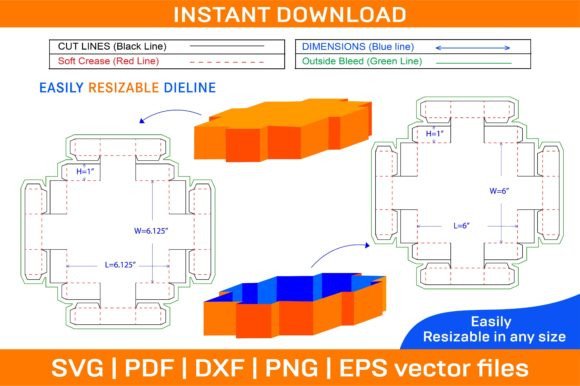
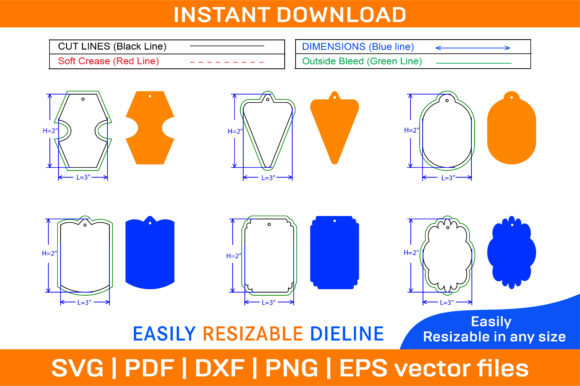
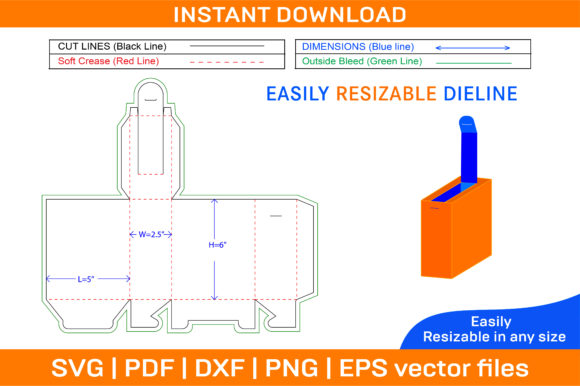
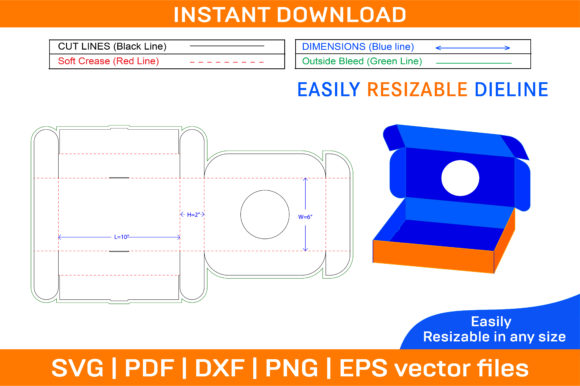
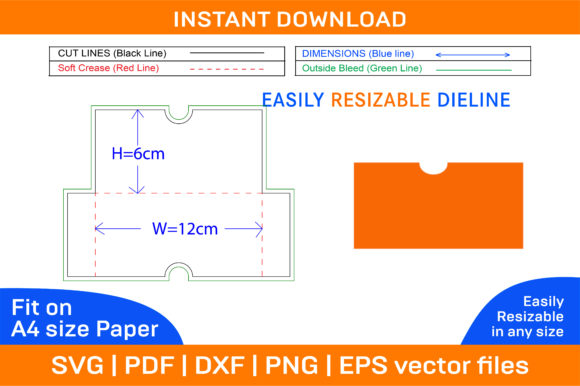
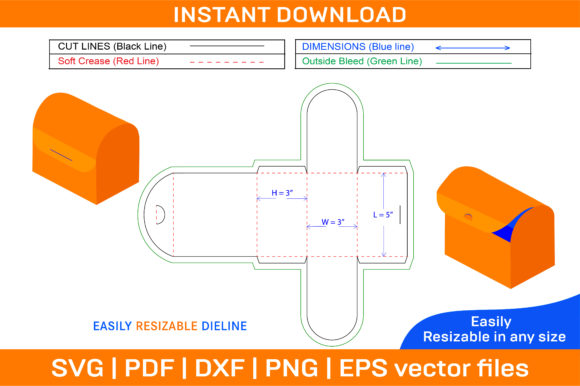
A dieline template is essentially a blueprint for your box. It shows the exact dimensions and folding lines needed to create a three-dimensional structure from flat paper. When paired with a 3D box design, it becomes even more powerful — allowing you to visualize how your box will look once assembled. The Jewelry Box Dieline Template and 3D Box includes multiple file formats like SVG, PDF, EPS, DXF, AI, and PNG, ensuring compatibility across various design platforms and cutting machines.
The ZIP archive provides both color and blank templates. This means you can either print them directly or customize them using your preferred colors and images. All files are optimized for A4 paper but remain scalable due to their vector-based nature. Whether you need to make a small batch of gift boxes or prepare for a large-scale production run, these templates offer precision and flexibility.
Why Different Audiences Care About This Template
While the Jewelry Box Dieline Template and 3D Box might seem like just another design tool, its value varies depending on who’s using it. Here's how different groups might find it useful:
For Entrepreneurs and Small Business Owners
If you're launching a jewelry line or selling handmade accessories, having branded packaging is essential. These templates let you create custom boxes that match your brand identity — from color schemes to logos. Since they support high-resolution printing at 300 dpi, your final product looks polished and professional. Plus, the instant download feature ensures you get started right away, which is crucial when time-to-market matters.
For Creators and Hobbyists
Crafters and hobbyists often enjoy personalizing their projects. With this template, you can experiment with different themes, patterns, and textures. The blank template option gives complete creative freedom, while the color version serves as a starting point. You can use tools like Silhouette Studio or Cricut Design Space to cut intricate designs or add special effects. For those new to designing packaging, the clear dielines help reduce errors during assembly.
For Educators and Students
In art classes or design workshops, teaching students about packaging design can be a hands-on learning experience. This template simplifies the process by providing ready-to-use structures, letting learners focus on creativity and customization rather than technical construction. Educators can also use the 3D preview to demonstrate how 2D layouts translate into real-world objects, making lessons more engaging and interactive.
For Marketers and Bloggers
Marketers looking to enhance unboxing experiences for promotional items or limited editions can leverage these templates to create unique packaging. Bloggers may use them in tutorials or craft videos to showcase personalized gift ideas. The ability to adjust colors and add images makes it easy to align the box with any campaign theme or aesthetic.
For Freelancers and Publishers
Freelance designers and publishers benefit from the versatility of vector files. They can scale the designs to fit different project requirements, from sample prototypes to full-sized commercial packaging. Compatibility with Adobe Illustrator and Photoshop allows for seamless integration with existing workflows. Additionally, being able to provide clients with both color and blank options increases the range of services you can offer.
Priorities That Matter Most
Each user has different priorities when it comes to choosing a jewelry box dieline template. Understanding what drives your decision helps determine if this resource fits your needs:
- Quality and Detail: High-resolution files (300 dpi) ensure crisp edges and clean folds, which is important for anyone aiming for a professional finish.
- Flexibility: The availability of multiple file types and a blank template means you can adapt the design to suit your specific project requirements.
- Speed and Efficiency: Instant download after purchase saves time, especially when you're working on tight deadlines or last-minute gifts.
- Cost-Effectiveness: Printing on standard paper reduces material costs, making it an affordable alternative to custom manufacturing.
- Learning Value: Beginners gain insight into packaging design principles through structured dielines, while professionals refine their techniques with advanced tools.
Practical Applications Across Industries
Let’s explore how different users can apply the Jewelry Box Dieline Template and 3D Box in their work:
Custom Jewelry Packaging
An independent jewelry designer uses the template to create eco-friendly packaging for her online store. She prints the boxes on recycled kraft paper and adds minimalist branding using a photo-editing app. The result is a cohesive look that reinforces sustainability and craftsmanship.
Event and Wedding Favors
A wedding planner incorporates the template into her event planning toolkit. By customizing the boxes with floral motifs and gold foil accents, she creates elegant favor boxes that match the wedding theme. The 3D preview helps her visualize the final product before presenting the design to clients.
Educational Projects
In a school setting, a teacher assigns students to design their own gift boxes for a holiday project. Using the blank template, each student applies their unique style and learns about layout, symmetry, and structural integrity. The vector format ensures that even large class sizes won’t compromise quality.
Printable Templates for Home Use
Parents preparing for a child’s birthday party might choose the printable version to make decorative boxes filled with small toys or treats. The simplicity of the foldable design means no prior experience is needed, and the customizable aspect lets them include the child’s name or favorite characters.
Choosing the Right Template for Your Needs
Before downloading the Jewelry Box Dieline Template and 3D Box, consider your goals and resources. If you're looking for something quick and simple, the color template is a great choice. But if you want to personalize every detail, the blank template gives you full control. Those who frequently switch between software platforms will appreciate the multi-format support, while others might prefer a single format based on their workflow.
Here are a few questions to ask yourself:
- Do I need the box to be compatible with my design software or cutting machine?
- Will I be printing on standard A4 paper or a different size?
- Am I looking for a customizable design or a pre-styled one?
- How many boxes do I plan to produce, and what is my budget?
Answering these will help you decide whether this template is the best fit for your project.
Getting Started Is Easy
Once you’ve downloaded the ZIP archive, you’ll have access to all the necessary files. Open the SVG or AI file in your design software, select the elements you’d like to modify, and start adding your own flair. The dieline ensures accurate folding and assembly, so your finished box maintains a clean and professional appearance.
After editing, simply print the template on cardstock or thick paper, cut along the provided lines, and follow the fold instructions. The process is straightforward, yet rewarding — especially when you see your custom design come together in 3D form.
Support and Customization
Even though the template is designed for self-sufficiency, there may be times when you need guidance. The creator offers support for any issues you encounter with the files. This is particularly helpful for beginners who might struggle with scaling or alignment. Experienced users may find this unnecessary, but it adds peace of mind for everyone involved.
Additionally, the template can serve as a foundation for more complex projects. Think about adding magnetic closures, window cutouts, or internal dividers to elevate your box design. The possibilities are endless when you combine creativity with a reliable base structure.
Conclusion
The Jewelry Box Dieline Template and 3D Box is more than just a downloadable file — it's a versatile tool that empowers creators of all levels to design, print, and assemble custom boxes efficiently. Whether you're building a brand, teaching a class, or crafting for fun, this template adapts to your needs and skill set. Its blend of quality, scalability, and customization makes it a valuable asset for anyone interested in creating unique, reusable packaging solutions.