Gift Box Envelope Type Die Cut Template: A Creative Solution for Custom Packaging
If you're looking to add a personal touch to your packaging or create something unique for a gift, the Gift Box Envelope Type Die Cut Template is an excellent tool. Designed for both simplicity and customization, this template allows users to craft elegant, foldable boxes that combine the charm of an envelope with the structure of a gift box. Whether you're a small business owner, a hobbyist, or someone who loves handmade gifts, these templates offer a practical and creative way to elevate your projects.
What Is a Gift Box Envelope Type Die Cut Template?
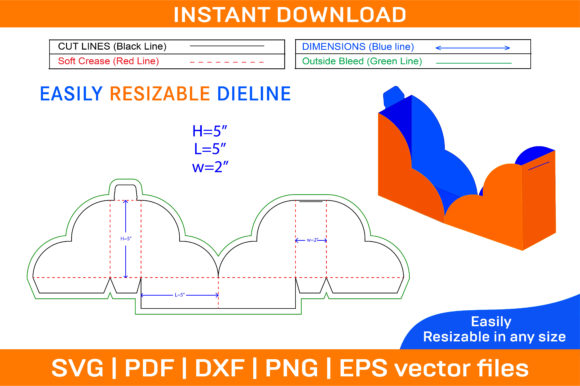
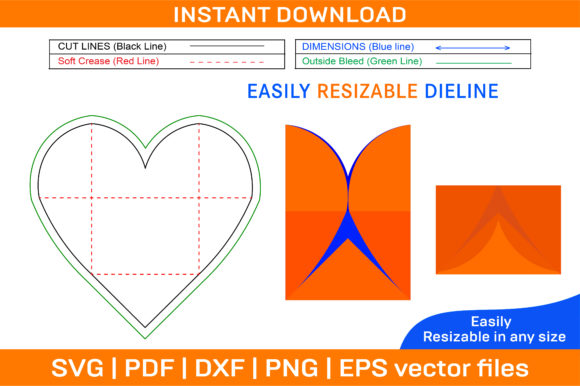
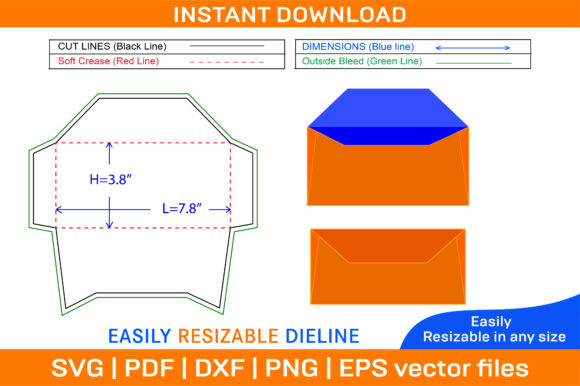
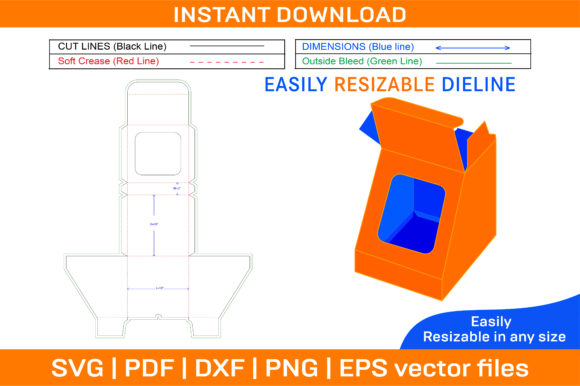
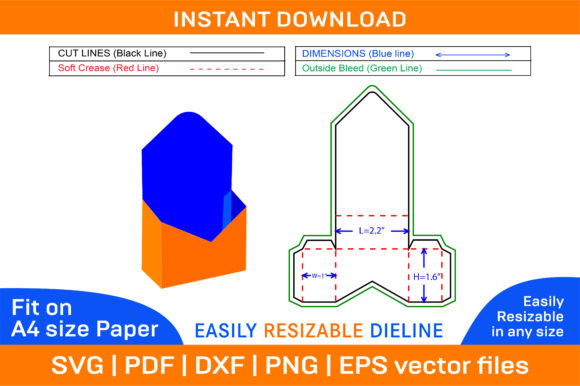
A Gift Box Envelope Type Die Cut Template is essentially a printable design that includes all the necessary lines and shapes to cut out and assemble a custom box using cardstock or other paper materials. The term "die cut" refers to the precision of the template, which mimics the results you'd get from using a physical die-cutting machine. These templates are often accompanied by 3D box designs, making it easy to visualize how the final product will look once folded and glued.
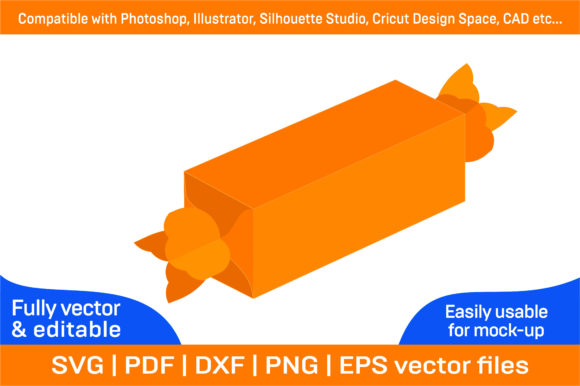
The package typically comes as a ZIP archive containing multiple file formats like SVG, PDF, EPS, DXF, AI, and PNG. This ensures compatibility across a wide range of software, including Adobe Photoshop, Illustrator, Silhouette Studio, Cricut Design Space, and AutoCAD. What's more, they’re designed for A4 paper but can be scaled up or down without losing quality, thanks to their vector-based format.
Why Choose a Printable Box Template?
Printable box templates have become increasingly popular because they eliminate the need for expensive machinery or hiring professional designers. They allow you to produce high-quality, personalized packaging in the comfort of your home or office. With the ability to print on any color paper you prefer, you can match your brand colors, holiday themes, or personal style with ease.
One standout feature of these templates is the inclusion of both color and blank versions. The color version gives you a visual guide, while the blank one acts as a perfect canvas for your own creativity. This flexibility makes them ideal for people who want to experiment with different designs or integrate their logos, artwork, or photos seamlessly.
Real-World Uses for Gift Box Envelope Type Templates
Here’s where things really come together — knowing how others use these templates helps you imagine your own possibilities. Let’s explore some realistic scenarios:
- Entrepreneurs and Small Business Owners: If you run a boutique or online store, having branded packaging is essential. Using a Gift Box Envelope Type Die Cut Template, you can create custom boxes that align with your brand identity. Imagine selling handcrafted candles or artisanal soaps in beautifully designed boxes that open like envelopes — it adds a memorable unboxing experience for customers.
- Event Planners: Planning a wedding, baby shower, or corporate event? You might need special boxes to hold invitations, favors, or promotional items. These templates make it simple to design matching packaging for each part of the event. For example, a minimalist black and white design could suit a modern wedding, while pastel colors might work better for a spring baby shower.
- Crafters and DIY Enthusiasts: If you love making gifts for friends and family, these templates let you go beyond the usual wrapping paper. Think about creating a custom box for a birthday present that opens dramatically like an envelope, revealing a heartfelt message inside before the gift itself. It’s a fun and engaging way to surprise someone with your attention to detail.
- Bloggers and Content Creators: Many bloggers focus on lifestyle, crafting, or sustainability topics. A printable box template is a great resource to include in tutorials or giveaways. You could demonstrate how to make eco-friendly gift boxes using recycled paper or show off your branding skills by designing a custom box for a new product launch.
- Teachers and Educators: In classrooms, especially during holidays or end-of-year celebrations, teachers often need to give out small gifts or certificates. Using a printable folding box, educators can create personalized award boxes or treat boxes for students. It’s a meaningful gesture that also supports hands-on learning if students help decorate the boxes themselves.
How to Use the Gift Box Envelope Type Die Cut Template
Using the template is straightforward. Start by downloading the ZIP file immediately after purchase — no waiting for shipments. Open the files in your preferred design software (like Illustrator or Cricut) and adjust the size or colors as needed. Print the template on cardstock or thick paper, then carefully cut along the lines and fold along the scored edges. Secure with glue or tape, and you’ve got a finished box ready for use.
For those less familiar with design tools, the PDF files are user-friendly and can be printed directly without needing advanced editing. However, the vector-based nature of the SVG and EPS files means you can scale them easily and maintain crisp, clear edges regardless of the size you choose. This adaptability is especially useful when printing for different purposes — whether it’s a tiny jewelry box or a larger gift container.
Benefits Across Different Industries
These templates aren’t just for hobbyists. Their versatility has made them a favorite among professionals in various fields:
- Marketing Professionals: Custom boxes can serve as premium packaging for samples or promotional products. A foldable box with your company logo instantly reinforces brand recognition and leaves a lasting impression.
- Educational Institutions: Schools or universities can use the printable box template to create award boxes, graduation keepsakes, or even student portfolios. The envelope-style opening makes it feel special and ceremonial.
- Wedding Planners: From holding thank-you notes to storing party favors, these boxes can be tailored to match the wedding theme. A rustic wooden texture or soft pastel shade can enhance the aesthetic without breaking the budget.
- Freelancers and Artists: When sending art supplies or custom creations to clients, a well-designed box adds professionalism. Artists can also use the templates as part of their creative process — for instance, building a box to house a framed drawing or painting.
Considerations Before Downloading and Printing
Before jumping into your project, there are a few key considerations to keep in mind:
- Paper Quality: While the template works best with A4 paper, it's recommended to use thicker stock for sturdier boxes. Thin paper may tear when folding or gluing.
- Printer Compatibility: Ensure your printer supports the resolution (typically 300 dpi) and file types included. High-resolution printing is crucial for maintaining clarity, especially if you're adding intricate images or text.
- Design Software Experience: If you plan to edit the SVG or AI files, a basic understanding of vector software like Illustrator or Silhouette Studio is helpful. But don’t worry — many users find the process intuitive, especially with the included instructions or guides.
- Storage and Organization: Consider how you’ll store the finished boxes. Since they’re foldable, they take up less space than traditional gift boxes when not in use, which is great for small spaces or bulk production.
Also, think about the purpose of the box. Will it be used for retail packaging? Then durability and presentation matter most. Is it for a personal gift? Then aesthetics and sentimentality should drive your design choices. Understanding your goal will help you select the right template and customize it effectively.
Customization Ideas That Bring the Template to Life
Because the template is blank, it invites endless customization. Here are a few ideas to spark your creativity:
- Add your logo or brand name for commercial use.
- Include QR codes linking to digital content or social media pages.
- Use seasonal patterns or themed illustrations for holidays or events.
- Incorporate metallic ink or embossing for a luxury finish.
- Paint or decoupage the surface for a handmade look.
Imagine a blogger running a “DIY Advent Calendar” series. They could print these boxes in a festive red, number each one, and fill them with small crafts or recipes. Each day becomes a fun reveal, and the box design enhances the overall experience. Or picture a local bakery using the template to create mini cookie boxes for customer appreciation gifts — a thoughtful and visually appealing idea that stands out from standard plastic containers.
When It Doesn't Fit the Bill
While the Gift Box Envelope Type Die Cut Template is incredibly versatile, it’s not always the best choice. If you need a large quantity of boxes for a commercial product line, investing in a manufacturing partner might be more efficient. Similarly, if your item is too heavy or bulky, the paper box may not provide enough structural support. Always assess the size, weight, and purpose of what you're packaging before committing to a design.
Another consideration is time. If you need boxes urgently and lack the tools or skills to print and assemble them, pre-made boxes might be a better option. But if you enjoy the process and have the resources, the satisfaction of crafting your own boxes is hard to beat.
Final Thoughts on Real Outcomes
The real beauty of the Gift Box Envelope Type Die Cut Template lies in its ability to transform ordinary paper into something meaningful. It’s not just a box; it’s a statement. For a small business owner, it’s a way to build brand loyalty. For a teacher, it’s a tool to inspire. For a friend giving a gift, it’s a sign that thought and care went into the presentation.
With the combination of a 3D box design and the convenience of printable templates, this resource empowers users to innovate without limits. Whether you're printing on bright-colored paper for a kids’ birthday or using it for a sleek product launch, the outcome is always elevated. And since the files are vector-based, you won’t compromise on quality — no matter the size or scale of your project.